Most pieces on this site are about the craft side of drone work — composition, light, story, the wedding film, the real estate listing that sells. Inspection is not that.
Inspection is a different category of drone job, and pilots who try to apply filmmaking instincts to it lose drones. The aesthetic doesn’t matter. There’s no shot list to satisfy. There’s a structure, an asset, a roof, an antenna, a bridge — and your job is to come back with footage someone can review later to see whether something is wrong with it. The drone is a tool of documentation, not creation. Once that flips in your head, the whole job changes.
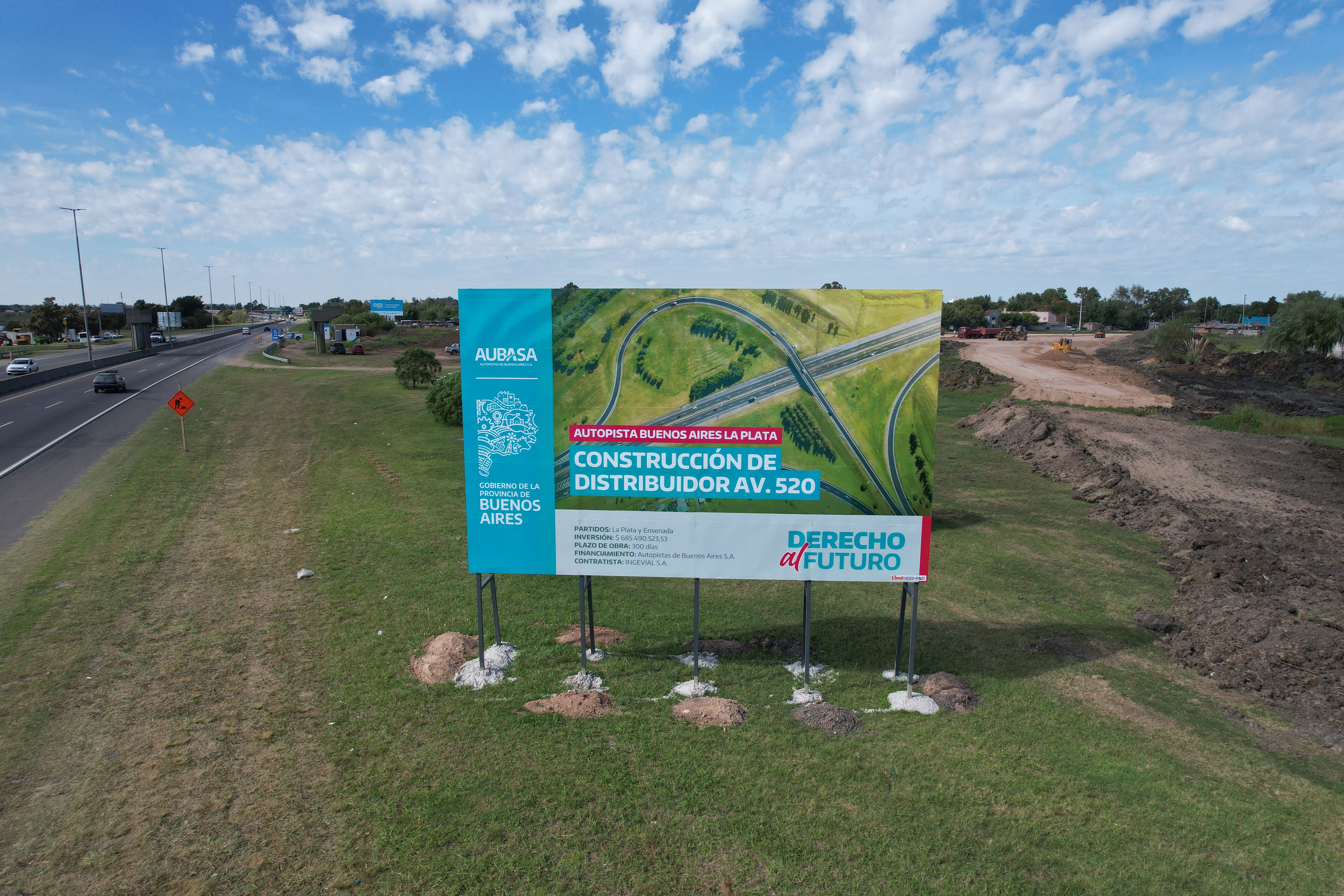
Here’s how I fly inspection work, after years of doing aerial coverage on infrastructure and government projects in Buenos Aires Province. None of this is theoretical. Every rule below comes from either a job that went well because of the rule, or a near-miss that taught me to write it down.
The gear: pick reliable, not impressive
The single most important variable in inspection is gear that turns on, takes off, and works. Not the drone with the best sensor. Not the one with the most cinematic color profile. The one that does its job when you press the button and doesn’t make excuses about wind, satellite count, or temperature.
For most professional inspection work, DJI Mavic of any current generation is the answer. The Mavic line is built for working pilots — battery life is real, wind tolerance is genuine, the flight controller doesn’t second-guess you with constant warnings, and the line has been refined across many models for actual working conditions. If you have to pick one drone for inspection, pick a Mavic.
If your budget doesn’t reach the Mavic, the DJI Mini 4 or Mini 5 is the right second answer. The proximity sensors on the newer Mini line are useful — especially for inspection where you fly close to surfaces — but they are not infallible. I’ve watched sensors miss thin cables, glass, wet walls, and tree branches without leaves. The sensors are a backup, not a primary safety system. Treat them as such.
What I would not pick for inspection: anything from a non-DJI manufacturer as a primary tool. Inspection clients pay specifically for reliability. The five extra minutes a buggy alternative costs you on a single job will eat months of “savings” on the cheaper unit.
Inspection is the wrong place to test new gear, save money on alternatives, or fly something you’re not 100% confident with. Use the proven tool. Save the experiments for personal flights.
Video over photos, almost always
This is where filmmaker pilots and inspection pilots disagree most sharply.
For most inspection work, you record video. Not photos. Video.
Two reasons.
You don’t know which moment of the flight contains what matters. When you’re flying a roof, a structural survey, or a construction inspection, the issue you’re looking for might appear in the frame for half a second. The pilot’s eye on the joystick screen — small, low resolution, in motion, distracted by flying — is going to miss it. Recording the entire flight in high resolution lets you scrub the footage on a real monitor afterwards and find the cracks, the rust, the missing bolts that you didn’t see while flying. Things that are simply impossible to spot from the controller display become obvious on a TV.
Video gives you angles photos can’t. A still frame captures one moment. Video at 30fps gives you 30 frames every second to choose from. Pause anywhere. Step forward one frame at a time. The frame that catches the issue from the right angle is somewhere in there, even when you can’t pre-plan exactly where to point the camera.
There’s exactly one case where photos win: when you need maximum resolution on a specific identified detail. DJI drones in still-photo mode capture roughly 6,000 pixels wide. 4K video is roughly 4,000 wide × 2,160 tall. If the inspector has flagged a specific spot — a hairline crack, a stress mark, a corrosion point — and you need every pixel of detail on that spot, switch to photo mode for that one shot. Then go back to video for the rest of the flight.
Default mode for inspection: 4K video at 30fps. Recording the entire flight, every minute, no exceptions. Switch to photos only for known specific details that demand the extra resolution.
The pilots who try to “save SD card space” by running short clips or grabbing photos miss things that cost their clients real money. Recording everything is cheap insurance. Storage is cheap. A second flight to re-shoot what you missed is not.
A practical note: shoot in standard color profile, not D-Log or any flat profile. The point of inspection footage is fast review, not grading. Standard profile is easier to scrub through on a TV in a normal viewing environment, and the exposure decisions you made in flight are baked in correctly. D-Log requires grading before review and adds time to the deliverable for zero benefit on inspection work.
The 1.5-meter wall rule
When you fly close to a structure for inspection, the rule is hard:
Stay at least 1.5 meters from any vertical surface. One meter is the absolute minimum, and only when you’re actively reviewing the safety of the approach.
Closer than that, the drone’s own downwash creates a low-pressure pocket between the airframe and the surface. The drone gets pulled toward the wall. This is real physics, not a sensor problem — I wrote the long version of this in my piece about the three drones I’ve crashed, where this exact effect ate my first drone in 2019. It’s the same wall effect that makes you wobble in a small car when a truck passes you on the highway.
Modern drones with proximity sensors will warn you. The screen turns red. The flight app shows a red proximity-risk indicator telling you not to advance any further in that direction. Listen to the red warning. It’s right. Pilots who ignore the red warning are the same pilots who post crash videos on YouTube three weeks later.
The instinct in inspection work is to fly closer to see better. Resist it. Use the camera zoom. Trust the 4K resolution. Review on a monitor afterwards. Anything closer than 1.5 meters is a margin of error you don’t have on a paid inspection job.
Why your camera lies about distance (and where FPV fits in)
There’s a technical reality of drone cameras that nobody warns you about, and it’s one of the most common reasons inspection pilots get into trouble close to surfaces.
Drone cameras are wide-angle. All of them. Mavic, Mini, Avata, every FPV camera on a working drone — wide field of view is the default because the gear demands it (more situational awareness, less yaw to recompose, better establishing shots). The problem: wide-angle compresses your sense of distance. What looks like three meters from a wall through the camera can actually be one meter. What feels like a safe gap is a collision waiting to happen.
If you want to feel this effect right now, do this experiment with your phone:
- Open the camera app
- Switch to 0.5× (ultra-wide)
- Hold the phone at arm’s length and walk slowly toward a wall while watching the screen
You’ll feel two things. First, the wall doesn’t seem to grow at the rate it should — it stays “far away” in the frame longer than your body is telling you it is. Second, by the moment you’d actually be touching the wall, the frame still looks comfortable.
That’s exactly what your drone camera is doing to your perception of distance — and that’s with your hand telling you where the phone is. The drone is twenty meters out. You don’t have the proprioception backup. The camera is the only signal you’ve got, and the camera is lying to you.
The camera lies about distance. Always cross-check with direct line of sight on the drone itself, not just the controller screen.
The professional habit: keep the drone in your line of sight whenever possible, especially when flying close to surfaces. The camera tells you what the inspection is looking for. Your eyes tell you whether the drone is about to hit something. Both, together, are how the job gets done. The camera alone is not enough.
Where FPV fits in
This is where FPV — first-person view drones flown with goggles — becomes interesting for inspection work.
FPV puts you inside the camera’s perspective. The wide-angle is still there, but because you’re effectively flying at the drone’s position rather than watching from outside, your spatial awareness gets calibrated to the drone’s environment. Your body adjusts to the FOV in a way that’s impossible when you’re staring at a small screen on a controller.
For experienced FPV pilots, this is a real advantage on inspection work. You feel distances better. You react faster to small details in the frame. You can hold tight position near a surface with confidence that takes much longer to develop on traditional GPS-stabilized flying. And there’s a client-facing upside that traditional drone work can’t match: you can extend your goggle view to an iPad or external monitor next to you, and the client can watch the inspection live with you, seeing exactly what your goggles are seeing. For engineers, architects, and infrastructure managers, that real-time co-review is genuinely valuable.
If you fly FPV well, inspection clients pay a premium for the co-review setup. That’s the actual case for FPV in this work.
But — and this is the part that matters — telling an engineer or an inspector who’s never flown a drone to “just buy an FPV drone for inspection” is one of the worst pieces of gear advice anyone could give them.
FPV has the steepest learning curve in all of drone work. It’s a different craft entirely (I’ll write about this separately — the distance between an FPV drone and a traditional drone is roughly the same as the distance between a drone and a regular camera). The complexity will eat a non-pilot. The learning curve is months, not weeks. The failure mode during learning is crashed gear in environments you can’t afford to crash in.
There’s also the wind problem. Any FPV drone — Avata, Pavo, custom builds, all of them — is significantly less wind-tolerant than a comparable Mavic. The aerodynamics aren’t the same. The flight controllers aren’t tuned for stable holding in gusts. Batteries last less. And inspection work happens outdoors, often in conditions you’d never choose, on schedules you can’t move.
So the bottom line, even after the case for FPV:
Default to a current top-tier Mavic for inspection work. Add FPV as a secondary tool only if you already fly it well and the client values the real-time co-review enough to pay for it.
If you don’t already fly FPV competently, an inspection job is the worst possible place to learn. The gear-loss curve in the first year of FPV flying is real. Stay on the Mavic for paid work and learn FPV on personal flights until it’s an extension of your hands.
The battery math nobody teaches
A new DJI Mavic battery gives you about 20 minutes of useful flight. After 50 cycles or so, that drops to 16. After 100, to 14. After 200 cycles, you should not be flying inspection work with that battery anymore.
The math for any inspection flight is the same:
- 5 minutes outbound from launch to subject
- 5 minutes return to launch
- 5 minutes of margin (always)
- Whatever’s left is your actual inspection time — usually 5 to 7 minutes on a good day
Plan around that. If the inspection requires more than 7 minutes of subject time, you’re flying the same site twice with two batteries, not stretching one battery to its theoretical limit.
The practical limit on outbound distance: 5 minutes of flight at 25 km/h cruise. That’s roughly 2 kilometers of straight-line distance from launch. Beyond that, you’re either cutting margin or you need a closer launch point. Don’t try to be a hero with the range numbers in the spec sheet — those numbers are measured at maximum sport speed in zero wind by a pilot who isn’t recording video, and they don’t apply to a working pilot doing the job.
The single most important variable nobody talks about: wind direction.
If you fly out with the wind at your back, you’ll cover the distance fast and feel like you have plenty of battery. Coming back, you’re flying into the same wind. The drone uses significantly more battery to return than it used to leave. The “5 minutes out, 5 minutes back” math becomes “3 minutes out, 8 minutes back” — and your safety margin is already gone before you noticed.
Always check wind direction before launch. If there’s noticeable wind, plan your flight assuming the return leg costs 50–100% more battery than the outbound leg. The reserve battery percentage on your screen is not a guarantee of safe return. It’s a hopeful estimate based on conditions that may have already shifted by the time you’re flying back.
Don’t trust the reserve battery indicator unless your batteries are brand new and conditions are calm. Better to land short and grab a second battery than to make the call to push it and watch the percentage drop in real time.
A friend, a cruise ship, and a drone in the sea
A friend of mine got hired to film a cruise ship for promotional work. Different gig than inspection — but the lesson translates exactly.
He launched the drone from shore as the cruise was leaving port. The plan was straightforward: fly alongside the ship, get some establishing shots, return to shore. Standard work.
What he didn’t account for: the ship was moving faster than he realized, and accelerating as it cleared the port. By the time he turned the drone around to come back, the ship was several hundred meters further out than launch position had been, and the drone was now over open water — fighting wind, fighting the relative motion that had moved his “home” point further than he could fly back to.
He told me the worst part wasn’t losing the drone. It was the slow-motion realization, watching the battery percentage drop in the goggles, knowing he had already made the mistake several minutes earlier when he failed to account for the ship’s actual speed. He watched the drone descend toward the water — watched it fight the wind, watched it run out — and finally watched it disappear into the sea. The drone knew it wasn’t going home before he did.
The translation to inspection work: when the subject of your flight is moving — a vessel, a vehicle, a structure on a moving platform — your “return home” is not where you launched from. It’s where you launched from plus whatever the relative motion has put between you and it. Plan for the worst-case return, not the launch-position return. The drone doesn’t care that home was here twenty minutes ago. It cares where home is now.
The same logic applies to inspections of moving infrastructure (rotating wind turbines, swing bridges, moving mining equipment): plan return distance against worst-case relative position, not nominal launch coordinates.
The operational flow
The actual structure of every inspection flight I run, in order:
-
Pre-flight check. Wind direction and speed, GPS satellite count, battery temperature, props seated correctly, SD card has space, video set to 4K at 30fps, color profile to standard, gimbal calibrated, home point confirmed.
-
Plan the flight. Identify the highest object in the environment. Fly above it. Plan the route in your head before launch — outbound leg, inspection sweep, return leg, contingency landing spots if something fails mid-flight.
-
Launch and start recording immediately. Begin recording the moment the drone is stable, not after you reach the subject. The takeoff and approach footage sometimes contains useful context — surrounding obstacles, environmental conditions, scale references.
-
Fly the inspection conservatively. Cruise at 25 km/h, not maximum sport speed. Maintain wall distance discipline. Multiple slow passes if needed — the second pass catches what the first one missed. Switch to photo mode only for specific details flagged in advance.
-
Return with margin. Don’t push the battery. Better a second flight than a lost drone. The inspection client doesn’t care if you flew one or two batteries on the job. They care if you came back with usable footage.
-
Review on a real monitor. Not on the controller screen. Not on a phone. A real monitor or TV, in good light, with the ability to pause and step frame-by-frame. The actual findings of inspection work are made in post, not in flight.
-
Document and report. Time-stamped notes on findings. Frame grabs at maximum resolution for any flagged issue. A clear summary of what was inspected and what wasn’t. The deliverable is documentation, not raw footage.
A note on thermal cameras
I’ve had clients ask me three times now about thermal-imaging drone setups for power-line inspection and solar-array work. I’ve never owned one — my paid work hasn’t required it — but I’ve researched the market when those briefs came in, and the short version is worth knowing.
Thermal-capable drones for serious commercial inspection start around $7,000 USD for current-generation gear that combines thermal and visual sensors in a single drone with proper resolution on both. Below that price tier, the thermal sensors are either too low-resolution to be useful (under 640×512), too narrow in field of view, or too noisy in real outdoor conditions. You can’t shortcut the entry price for this category — the optics and sensors are genuinely expensive, and the gear is heavier and less wind-tolerant than a standard Mavic.
The use cases where thermal pays off:
- Power-line inspection. Hot spots on transmission lines indicate failing connections. Thermal finds them at distances visual inspection can’t.
- Solar-array inspection. Failing cells run hotter than working cells. Thermal makes them obvious in a single overhead pass.
- Building envelope inspection. Heat loss, water infiltration, insulation gaps — all visible thermally, invisible visually.
- Search and rescue / animal location. Body heat against ambient temperature, in conditions where standard cameras fail.
What working pilots should know before going down this rabbit hole: thermography is its own discipline. Reading a thermal image correctly — separating real anomalies from emissivity quirks, surface conditions, and ambient effects — takes training that has nothing to do with drone flying. Many working thermal-drone pilots either get formal thermography certification (Level I or II) or partner with an inspector who has it.
If a client is asking you specifically about thermal, the right initial response is: “I can refer you to a specialist with thermal-trained gear. If this becomes an ongoing need, we can talk about whether it’s worth me investing in the setup.” Don’t buy a $7K thermal drone speculatively. Wait for the work to justify it.
The mindset
Inspection drone work is the most operationally disciplined drone work there is. There’s no creative license. There’s no “I’ll just get this one shot.” There’s a job, a checklist, a margin of safety, and a deliverable. Pilots who treat it like filmmaking lose drones. Pilots who treat it like operations build a steady career.
If you’re coming from filmmaking, the adjustment is real. Slow your speed. Trust your camera resolution over your eyes. Record everything. Stay outside the wall effect zone. Plan for the wind on the way back, not just the way out. Land with margin.
If you do those things consistently, inspection work pays well, predictably, and for a long time. The clients value reliability above almost everything else, and reliability is the easiest thing to build when the rules are this clear and you’re disciplined about following them.
I have a separate piece coming on conservative flying as a general discipline — pre-flight checklists, reading conditions in real time, the broader mindset of working pilots who don’t crash. When that’s up, I’ll link it from here. Until then, the rules above will keep your inspection drone in the air long enough to pay for itself many times over.